
Werewolves Revamped
Os15b Secret Channels #2 / corrupt-grandmotherly-white-grave-robber


Werewolf Bot Player HelpUse $help <command> to get information about a command.
While ingame react to messages with 📌 to pin them!
Player arguments can be names, emojis, ids, nicknames or discord tags
Arguments cant contain spaces, unless the argument is quoted "like this"$help - Provides information about commands.
$ping - Tests the bot
$temp - Converts between °C and °F.
$time - Identifies or converts timezone.
$cc - Manages CCs.
$roll - Randomizes
$loot - Opens a lootbox.
$recycle - Turns a reward into coins.
$inventory - Shows your inventory.
$market - Shows the market.
$coins - Shows your coins.
$xp - Check your XP.
$icon - Manages your role icon.
$bot - Manages your bot features.
$death_message - Manages your death message.
$booster - Manages your boosters.
$curse - Manages your boosters.
$guarantors - Manages your guarantors.
$stash - Hides an item.
$unstash - Unhides an item.
$nickname - Sets your nickname.
$reverseme - Reverses your nickname.
$newship - Updates your nickname.
$newhate - Updates your nickname.
$flip - Flips a coin.
$yell - Makes the bot yell info messages.
$fortune - Tells your fortune.
$me - Shows your info.
$profile - Shows your info.
$now - Shows the current time.$reservation - Manages your reservation.
$list_signedup - Lists signed up players.
$list_alphabetical - Alternative signed up list.
$list_alive - Lists alive players.
$list_dead - Lists dead players.
$list_ghost - Lists ghostly players.
$list_substitutes - Lists substitute players.
$list_mentors - Lists mentors.
$emojis - Provides an emoji & player ID list.
$emojis_alive - Provides an emoji & player ID (alive only) list.
$signup - Signs you up for the next game.
$j - Special variant of signup command.
$spectate - Makes you a spectator.
$substitute - Makes you a substitute player.
$packs - Manages skinpacks.
$info - Returns role info (simplified).
. - Returns role info (simplified/temporary).
$details - Returns role info (detailed).
; - Returns role info (detailed/temporary).
$info_technical - Returns formalized role info.
~ - Returns formalized role info (temporary).
$card - Returns a role´s card.
$image - Returns a role´s image.Info HelpSyntax
$info <Role Name>Functionality
Shows the description of a role (simplified).Usage
> $info citizenAliases
- istatus. Did you mean stalker (aka Sta)?
 Werewolves Revamped - OS15B Werewolves Revamped - OS15B
 white. Did you mean witch (aka Wit)?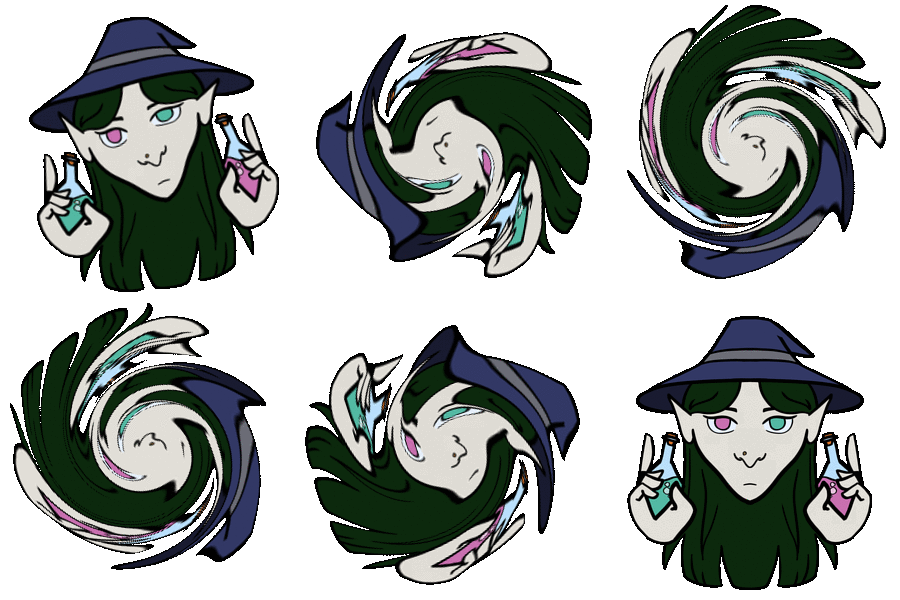 Werewolves Revamped - OS15B

 Werewolves Revamped - OS15B
  1
1grandmother. Did you mean grandma? Werewolves Revamped - OS15B
 Werewolf Bot Player HelpUse $help <command> to get information about a command.
While ingame react to messages with 📌 to pin them!
Player arguments can be names, emojis, ids, nicknames or discord tags
Arguments cant contain spaces, unless the argument is quoted "like this"$help - Provides information about commands.
$ping - Tests the bot
$temp - Converts between °C and °F.
$time - Identifies or converts timezone.
$cc - Manages CCs.
$roll - Randomizes
$loot - Opens a lootbox.
$recycle - Turns a reward into coins.
$inventory - Shows your inventory.
$market - Shows the market.
$coins - Shows your coins.
$xp - Check your XP.
$icon - Manages your role icon.
$bot - Manages your bot features.
$death_message - Manages your death message.
$booster - Manages your boosters.
$curse - Manages your boosters.
$guarantors - Manages your guarantors.
$stash - Hides an item.
$unstash - Unhides an item.
$nickname - Sets your nickname.
$reverseme - Reverses your nickname.
$newship - Updates your nickname.
$newhate - Updates your nickname.
$flip - Flips a coin.
$yell - Makes the bot yell info messages.
$fortune - Tells your fortune.
$me - Shows your info.
$profile - Shows your info.
$now - Shows the current time.$reservation - Manages your reservation.
$list_signedup - Lists signed up players.
$list_alphabetical - Alternative signed up list.
$list_alive - Lists alive players.
$list_dead - Lists dead players.
$list_ghost - Lists ghostly players.
$list_substitutes - Lists substitute players.
$list_mentors - Lists mentors.
$emojis - Provides an emoji & player ID list.
$emojis_alive - Provides an emoji & player ID (alive only) list.
$signup - Signs you up for the next game.
$j - Special variant of signup command.
$spectate - Makes you a spectator.
$substitute - Makes you a substitute player.
$packs - Manages skinpacks.
$info - Returns role info (simplified).
. - Returns role info (simplified/temporary).
$details - Returns role info (detailed).
; - Returns role info (detailed/temporary).
$info_technical - Returns formalized role info.
~ - Returns formalized role info (temporary).
$card - Returns a role´s card.
$image - Returns a role´s image.$packs select <ID>, where you replace <ID> with the number of the skinpack you want to select.
 Default - SP:0
 Swirl_Animated - SP:64
offseason.

 and ts blaah'ing in oot
 Werewolves Revamped - OS15B
  Werewolves Revamped - OS15B
Roll HelpSyntax
$roll <Subcommand>Functionality
Commands to randomize a list of players. $help roll <sub-command> for detailed help.
If used without a subcommand randomizes from the full player list.Usage
> $roll
< ️ Selected @McTsts (🛠)Aliases
- rand
- random
- randomizeSubcommands
- $roll ghost
- $roll whitelist
- $roll blacklist
- $roll ghost_whitelist
- $roll ghost_blacklist
- $roll number
- $roll ?d? ,
,  ,
,  ,
, 
 ,
,  ,
,  ,
,  ,
,  ,
,  ⬛,
⬛,  ,
,  ,
,  ,
,  ,
,  ,
,  ️,
️,  ,
,  ,
,  ,
,  ,
,  ,
,  ,
,  ,
,  ,
,  , ▪️,
, ▪️,  ,
,  ,
,  ,
,  ,
,  ) (edited)
heaven. Did you mean ravenkeeper (aka Raven)? Werewolves Revamped - OS15B
  Werewolves Revamped - OS15B
  Werewolves Revamped - OS15B
  ♂️ they just talked recently
 Werewolves Revamped - OS15B
 scarecrwor. Did you mean scarecrow? Werewolves Revamped - OS15B - kruthers (@Pumpkin)
- yuki_not_cutie (@Hearts)
- theoceancookie (@Glitch Animated)
- matstress (@Emboss)
- hendawy361 (@Default)
- ddd8000 (@Swirl)
- kalimoor (@Coin Animated)
- hexakaty (@Default)
⬛ - basscy (@Wire)
- swurtle (@Fourier Eye)
- shapechange (@Fourier Modulate)
- neoimperium (@Default)
- captainluffy (@Pokemon)
- chimi.loves.shrimp (@Aquatic)
️ - phantomtomicbomb (@Earth)
- gh0st_5had0w (@Glasses)
- huckhuck55 (@Bear)
- jeand.arch (@Mask)
- murrfiish (@Thief)
- lightpulp (@Onepiece)
- happyxsocks (@Default)
- sinisfuel (@Duo Color)
- invincitank (@Default)
- 5uso (@Spin)
▪️ - e_thsn (@Default)
- char._.coal (@Light And Shadow)
- thekremblin (@Items)
- voidmist (@Default)
- time9 (@Magnified)
- .jennifer21 (@Default)
Werewolves Revamped - OS15B - kruthers (@Pumpkin)
- yuki_not_cutie (@Hearts)
- theoceancookie (@Glitch Animated)
- matstress (@Emboss)
- hendawy361 (@Default)
- ddd8000 (@Swirl)
- kalimoor (@Coin Animated)
- hexakaty (@Default)
⬛ - basscy (@Wire)
- swurtle (@Fourier Eye)
- shapechange (@Fourier Modulate)
- neoimperium (@Default)
- captainluffy (@Pokemon)
- chimi.loves.shrimp (@Aquatic)
️ - phantomtomicbomb (@Earth)
- gh0st_5had0w (@Glasses)
- huckhuck55 (@Bear)
- jeand.arch (@Mask)
- murrfiish (@Thief)
- lightpulp (@Onepiece)
- happyxsocks (@Default)
- sinisfuel (@Duo Color)
- invincitank (@Default)
- 5uso (@Spin)
▪️ - e_thsn (@Default)
- char._.coal (@Light And Shadow)
- thekremblin (@Items)
- voidmist (@Default)
- time9 (@Magnified)
- .jennifer21 (@Default)
 - bovine. (@Default)
 - feritin (@Swirl Animated) (edited)
 Syntax error. Unknown command
 gd!gd. Did you mean herding dog (aka HD)? Werewolves Revamped - OS15B
  Werewolves Revamped - OS15B - kruthers (@Pumpkin)
- yuki_not_cutie (@Hearts)
- theoceancookie (@Glitch Animated)
- matstress (@Emboss)
- hendawy361 (@Default)
- ddd8000 (@Swirl)
- kalimoor (@Coin Animated)
- hexakaty (@Default)
⬛ - basscy (@Wire)
- swurtle (@Fourier Eye)
- shapechange (@Fourier Modulate)
- neoimperium (@Default)
- captainluffy (@Pokemon)
- chimi.loves.shrimp (@Aquatic)
️ - phantomtomicbomb (@Earth)
- gh0st_5had0w (@Glasses)
- huckhuck55 (@Bear)
- jeand.arch (@Mask)
- murrfiish (@Thief)
- lightpulp (@Onepiece)
- happyxsocks (@Default)
- sinisfuel (@Duo Color)
- invincitank (@Default)
- 5uso (@Spin)
▪️ - e_thsn (@Default)
- char._.coal (@Light And Shadow)
- thekremblin (@Items)
- voidmist (@Default)
- time9 (@Magnified)
- .jennifer21 (@Default)
- bovine. (@Default)
- feritin (@Swirl Animated) (edited) - ddd8000 (@Swirl)
- hexakaty (@Default)
- swurtle (@Fourier Eye)
- shapechange (@Fourier Modulate)
- captainluffy (@Pokemon)
- gh0st_5had0w (@Glasses)
- char._.coal (@Light And Shadow)
- voidmist (@Default) (edited)
Werewolves Revamped - OS15B - kruthers (@Pumpkin)
- yuki_not_cutie (@Hearts)
- theoceancookie (@Glitch Animated)
- matstress (@Emboss)
- hendawy361 (@Default)
- ddd8000 (@Swirl)
- kalimoor (@Coin Animated)
- hexakaty (@Default)
⬛ - basscy (@Wire)
- swurtle (@Fourier Eye)
- shapechange (@Fourier Modulate)
- neoimperium (@Default)
- captainluffy (@Pokemon)
- chimi.loves.shrimp (@Aquatic)
️ - phantomtomicbomb (@Earth)
- gh0st_5had0w (@Glasses)
- huckhuck55 (@Bear)
- jeand.arch (@Mask)
- murrfiish (@Thief)
- lightpulp (@Onepiece)
- happyxsocks (@Default)
- sinisfuel (@Duo Color)
- invincitank (@Default)
- 5uso (@Spin)
▪️ - e_thsn (@Default)
- char._.coal (@Light And Shadow)
- thekremblin (@Items)
- voidmist (@Default)
- time9 (@Magnified)
- .jennifer21 (@Default)
- bovine. (@Default)
- feritin (@Swirl Animated) (edited) - ddd8000 (@Swirl)
- hexakaty (@Default)
- swurtle (@Fourier Eye)
- shapechange (@Fourier Modulate)
- captainluffy (@Pokemon)
- gh0st_5had0w (@Glasses)
- char._.coal (@Light And Shadow)
- voidmist (@Default) (edited)Werewolf Bot Player HelpUse $help <command> to get information about a command.
While ingame react to messages with 📌 to pin them!
Player arguments can be names, emojis, ids, nicknames or discord tags
Arguments cant contain spaces, unless the argument is quoted "like this"$help - Provides information about commands.
$ping - Tests the bot
$temp - Converts between °C and °F.
$time - Identifies or converts timezone.
$cc - Manages CCs.
$roll - Randomizes
$loot - Opens a lootbox.
$recycle - Turns a reward into coins.
$inventory - Shows your inventory.
$market - Shows the market.
$coins - Shows your coins.
$xp - Check your XP.
$icon - Manages your role icon.
$bot - Manages your bot features.
$death_message - Manages your death message.
$booster - Manages your boosters.
$curse - Manages your boosters.
$guarantors - Manages your guarantors.
$stash - Hides an item.
$unstash - Unhides an item.
$nickname - Sets your nickname.
$reverseme - Reverses your nickname.
$newship - Updates your nickname.
$newhate - Updates your nickname.
$flip - Flips a coin.
$yell - Makes the bot yell info messages.
$fortune - Tells your fortune.
$me - Shows your info.
$profile - Shows your info.
$now - Shows the current time.$reservation - Manages your reservation.
$list_signedup - Lists signed up players.
$list_alphabetical - Alternative signed up list.
$list_alive - Lists alive players.
$list_dead - Lists dead players.
$list_ghost - Lists ghostly players.
$list_substitutes - Lists substitute players.
$list_mentors - Lists mentors.
$emojis - Provides an emoji & player ID list.
$emojis_alive - Provides an emoji & player ID (alive only) list.
$signup - Signs you up for the next game.
$j - Special variant of signup command.
$spectate - Makes you a spectator.
$substitute - Makes you a substitute player.
$packs - Manages skinpacks.
$info - Returns role info (simplified).
. - Returns role info (simplified/temporary).
$details - Returns role info (detailed).
; - Returns role info (detailed/temporary).
$info_technical - Returns formalized role info.
~ - Returns formalized role info (temporary).
$card - Returns a role´s card.
$image - Returns a role´s image. You have not unlocked the $me command.CC HelpSyntax
$cc <Subcommand>Functionality
Group of commands to handle CCs. Use $help cc <subcommand> for detailed help.Aliases
- ccsSubcommands
- $cc create
- $cc spam
- $cc create_hidden
- $cc add
- $cc remove
- $cc rename
- $cc archive
- $cc promote
- $cc demote
- $cc leave
- $cc list
- $cc owners
- $cc create_multi
- $cc create_multi_hiddenCC Create HelpSyntax
$cc create <CC Name> <Player List>Functionality
Creates a CC with the name <CC Name> and adds you, as well as all players in the <Player List> to it. <Player List> may contain 0 or more players. When the CC is created you are announced as the creator of the CC, and are the only owner.Usage
> $cc create verajay jay
< ✅ Created #verajay Werewolves Revamped - OS15B - ddd8000 (@Swirl)
- swurtle (@Fourier Eye)
- shapechange (@Fourier Modulate)
- gh0st_5had0w (@Glasses)
- char._.coal (@Light And Shadow)
- voidmist (@Default) (edited)
Werewolves Revamped - OS15B - ddd8000 (@Swirl)
- swurtle (@Fourier Eye)
- shapechange (@Fourier Modulate)
- gh0st_5had0w (@Glasses)
- char._.coal (@Light And Shadow)
- voidmist (@Default) (edited)CC HelpSyntax
$cc <Subcommand>Functionality
Group of commands to handle CCs. Use $help cc <subcommand> for detailed help.Aliases
- ccsSubcommands
- $cc create
- $cc spam
- $cc create_hidden
- $cc add
- $cc remove
- $cc rename
- $cc archive
- $cc promote
- $cc demote
- $cc leave
- $cc list
- $cc owners
- $cc create_multi
- $cc create_multi_hiddenCC Spam HelpSyntax
$cc spam <CC Name>Functionality
Creates a CC with the name <CC Name> and adds you to it. The cc will not have any owners (you cannot add members to it). This cc will not count towards the cc limit.Usage
> $cc spam spamcc
< ✅ Created #spamcc!CC Create HelpSyntax
$cc create <CC Name> <Player List>Functionality
Creates a CC with the name <CC Name> and adds you, as well as all players in the <Player List> to it. <Player List> may contain 0 or more players. When the CC is created you are announced as the creator of the CC, and are the only owner.Usage
> $cc create verajay jay
< ✅ Created #verajay Syntax error. Invalid Player: shapechange! Syntax error. Invalid Player: shapechange!